Botsingsmodel
We waren gebleven bij het maken van een botsingsmodel, waarbij we nu twee deeltjes hebben die onderhevig zijn aan zwaartekracht.
Laten we de zwaartekracht even vergeten en alleen 1D kijken.
# Importeren van libraries
import numpy as np
import matplotlib.pyplot as plt
from matplotlib.animation import FuncAnimation

# Define a class for a particle
class ParticleClass:
    def __init__(self, m, v, r, R):
        self.m = m                  # mass of the particle
        self.v = np.array(v, dtype=float)  # velocity vector
        self.r = np.array(r, dtype=float)  # position vector
        self.R = np.array(R, dtype=float)  # radius of the particle

    def update_position(self, dt):
        self.r += self.v * dt

    def collide_detection(self, other):
        return .....

# Simulation parameters
dt = 0.1         # time step
num_steps = 200  # number of time steps

particleA = ParticleClass(m=1.0, v=[2.5, 0], r=[-2.0, 0.0],R=0.45)
particleB = ParticleClass(m=1.0, v=[-1, 0], r=[0.0, 0.0],R=0.45)

track_x = []
track_y = []


# Create the figure and axis

fig, ax = plt.subplots()

ax.set_xlim(-10, 10)
ax.set_ylim(-10, 10)
ax.set_aspect('equal')
ax.set_title("Particle Animation")
ax.set_xlabel("x")
ax.set_ylabel("y")
track_line, = ax.plot([], [], 'r--', linewidth=1)

# Toon het deeltje als een rode stip
dot, = ax.plot([], [], 'ro', markersize=10); # semicolon to suppress output
dotA, = ax.plot([], [], 'ro', markersize=10)
dotB, = ax.plot([], [], 'bo', markersize=10)


# Initialization function for animation
def init():
    dot.set_data([], [])
    return dot,

# Update function for each frame
def update(frame):
    particleA.update_position(dt)
    particleB.update_position(dt)

    track_x.append(particleA.r[0])
    track_y.append(particle_array[0].r[1])
    track_line.set_data(track_x, track_y)

    dotA.set_data([particle_array[0].r[0]], [particleA.r[1]])
    dotB.set_data([particleB.r[0]], [particleB.r[1]])

    #collision detection and response
    if particleA.collide_detection(particleB):
        ......
        ......

    # wall collision detection and response
    if particleA.r[0]**2>100:
        particleA.v[0] = -particleA.v[0]
    if particleA.r[1]**2>100:
        particleA.v[1] = -particleA.v[1]

    dot.set_data([particleB.r[0]], [particleB.r[1]])
    if particleB.r[0]**2>100:
        particleB.v[0] = -particleB.v[0]
    if particleB.r[1]**2>100:
        particleB.v[1] = -particleB.v[1]

    return dot, track_line

# Create animation
ani = FuncAnimation(fig, update, frames=range(num_steps), init_func=init, blit=True, interval=50)

# For Jupyter notebook:
from IPython.display import HTML
HTML(ani.to_jshtml())
Loading...
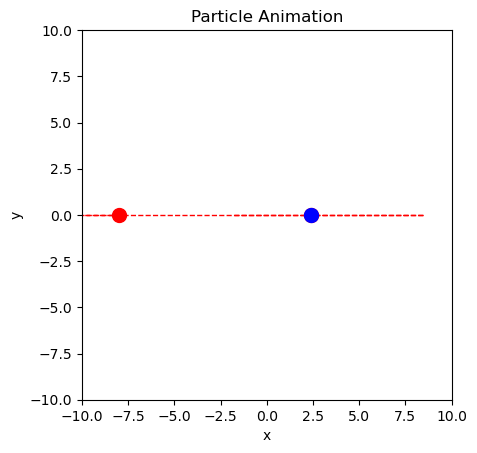
### BEGIN SOLUTION
# Importeren van libraries
import numpy as np
import matplotlib.pyplot as plt
from matplotlib.animation import FuncAnimation

# Define a class for a particle
class ParticleClass:
    def __init__(self, m, v, r, R):
        self.m = m                  # mass of the particle
        self.v = np.array(v, dtype=float)  # velocity vector
        self.r = np.array(r, dtype=float)  # position vector
        self.R = np.array(R, dtype=float)  # radius of the particle

    def update_position(self, dt):
        self.r += self.v * dt

    def collide_detection(self, other):
        return np.linalg.norm(self.r - other.r) < (self.R + other.R)

# Simulation parameters
dt = 0.1         # time step
num_steps = 200  # number of time steps
boxsize = 10

particle_array = []

for i in range(2):
    particle_array.append(ParticleClass(m=1.0, v=[np.random.uniform(-5,5), 0], r=[0.0, 0.0],R=1.0))
    particle_array[i].update_position(1.0)

particle_array[0] = ParticleClass(m=1.0, v=[2.5, 0], r=[-2.0, 0.0],R=0.45)
particle_array[1] = ParticleClass(m=1.0, v=[-1, 0], r=[0.0, 0.0],R=0.45)


track_x = []
track_y = []


# Create the figure and axis
fig, ax = plt.subplots()

ax.set_xlim(-boxsize, boxsize)
ax.set_ylim(-boxsize, boxsize)
ax.set_aspect('equal')
ax.set_title("Particle Animation")
ax.set_xlabel("x")
ax.set_ylabel("y")
track_line, = ax.plot([], [], 'r--', linewidth=1)


# Create the particles as dots
dotA, = ax.plot([], [], 'ro', markersize=10)
dotB, = ax.plot([], [], 'bo', markersize=10)


# Initialization function for animation
def init():
    dot.set_data([], [])
    return dot,

# Update function for each frame
def update(frame):
    for particles in particle_array:
        particles.update_position(dt)

    track_x.append(particle_array[0].r[0])
    track_y.append(particle_array[0].r[1])
    track_line.set_data(track_x, track_y)

    dotA.set_data([particle_array[0].r[0]], [particle_array[0].r[1]])
    dotB.set_data([particle_array[1].r[0]], [particle_array[1].r[1]])

    #collision detection and response
    if particle_array[0].collide_detection(particle_array[1]):
        particle_array[0].v[0] = -particle_array[0].v[0]
        particleB.v[0] = -particleB.v[0]

    # wall collision detection and response
    for particles in particle_array:
        if particles.r[0]**2>boxsize**2: # Check if particle is outside the bounds, np.abs could be used but is slower
            particles.v[0] = -particles.v[0]
        if particles.r[1]**2>boxsize**2: # Check if particle is outside the bounds, np.abs could be used but is slower
            particles.v[1] = -particles.v[1]

    dot.set_data([particleB.r[0]], [particleB.r[1]])

    return dot, track_line

# Create animation
ani = FuncAnimation(fig, update, frames=range(num_steps), init_func=init, blit=True, interval=50)

# For Jupyter notebook:
from IPython.display import HTML
HTML(ani.to_jshtml())
### END_SOLUTION
Loading...
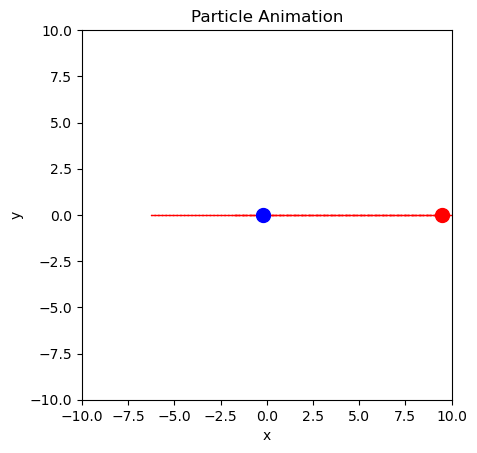
now with collission formula know.. in updating, vb relies on va, so use hulpvariabele
### BEGIN_SOLUTION
# Define a class for a particle
import numpy as np
import matplotlib.pyplot as plt
from matplotlib.animation import FuncAnimation

class ParticleClass:
    def __init__(self, m, v, r, R):
        self.m = m                  # mass of the particle
        self.v = np.array(v, dtype=float)  # velocity vector
        self.r = np.array(r, dtype=float)  # position vector
        self.R = np.array(R, dtype=float)  # radius of the particle

    def update_position(self, dt):
        self.r += self.v * dt

    def collide_detection(self, other):
        return np.linalg.norm(self.r - other.r) <= (self.R + other.R)

# Simulation parameters
dt = 0.1         # time step
num_steps = 530  # number of time steps

particleA = ParticleClass(m=1.0, v=[0, 0], r=[-2.0, 0.0],R=0.45)
particleB = ParticleClass(m=100.0, v=[-1, 0], r=[2.0, 0.0],R=0.45)

track_x = []
track_y = []
# Create the figure and axis

fig, ax = plt.subplots()

ax.set_xlim(-10, 10)
ax.set_ylim(-10, 10)
ax.set_aspect('equal')
ax.set_title("Particle Animation")
ax.set_xlabel("x")
ax.set_ylabel("y")
dot, = ax.plot([], [], 'ro', markersize=10); # semicolon to suppress output

counter = 0

# Create the particle as a red dot
dotA, = ax.plot([], [], 'ro', markersize=10)
dotB, = ax.plot([], [], 'bo', markersize=10)

counter_text = ax.text(-9.5, 9, "")

# Initialization function for animation
def init():
    dot.set_data([], [])
    return dot,

# Update function for each frame
def update(frame):
    global counter
    particleA.update_position(dt)
    particleB.update_position(dt)

    track_x.append(particleA.r[0])
    track_y.append(particleA.r[1])
    track_line.set_data(track_x, track_y)

    dotA.set_data([particleA.r[0]], [particleA.r[1]])
    dotB.set_data([particleB.r[0]], [particleB.r[1]])

    counter_text.set_text(f"Collisions: {counter}")

    #collision detection and response
    if particleA.collide_detection(particleB):
        counter += 1
        vA, vB, mA, mB, rA, rB = particleA.v, particleB.v, particleA.m, particleB.m, particleA.r, particleB.r
        vA_new = vA - 2 * mB / (mA + mB) * np.dot(vA - vB, rA - rB) / (1e-12+np.linalg.norm(rA - rB))**2 * (rA - rB)
        vB_new = vB - 2 * mA / (mA + mB) * np.dot(vB - vA, rB - rA) / (1e-12+np.linalg.norm(rB - rA))**2 * (rB - rA)
        particleA.v = vA_new
        particleB.v = vB_new


    # wall collision detection and response
    if particleA.r[0]**2>100: # Check if particle is outside the bounds, np.abs could be used but is slower
        counter += 1
        particleA.v[0] = -particleA.v[0]
    if particleA.r[1]**2>100: # Check if particle is outside the bounds, np.abs could be used but is slower
        particleA.v[1] = -particleA.v[1]

    dot.set_data([particleB.r[0]], [particleB.r[1]])
    if particleB.r[0]**2>100: # Check if particle is outside the bounds, np.abs could be used but is slower
        particleB.v[0] = -particleB.v[0]
    if particleB.r[1]**2>100: # Check if particle is outside the bounds, np.abs could be used but is slower
        particleB.v[1] = -particleB.v[1]

    return dot, track_line, counter_text

# Create animation
ani = FuncAnimation(fig, update, frames=range(200), init_func=init, blit=True, interval=50)

# For Jupyter notebook:
from IPython.display import HTML
HTML(ani.to_jshtml())
### END_SOLUTION
---------------------------------------------------------------------------
NameError                                 Traceback (most recent call last)
Cell In[4], line 99
     97 # For Jupyter notebook:
     98 from IPython.display import HTML
---> 99 HTML(ani.to_jshtml())
    100 ### END_SOLUTION

File c:\Users\fpols\Miniconda3\lib\site-packages\matplotlib\animation.py:1353, in Animation.to_jshtml(self, fps, embed_frames, default_mode)
   1349         path = Path(tmpdir, "temp.html")
   1350         writer = HTMLWriter(fps=fps,
   1351                             embed_frames=embed_frames,
   1352                             default_mode=default_mode)
-> 1353         self.save(str(path), writer=writer)
   1354         self._html_representation = path.read_text()
   1356 return self._html_representation

File c:\Users\fpols\Miniconda3\lib\site-packages\matplotlib\animation.py:1105, in Animation.save(self, filename, writer, fps, dpi, codec, bitrate, extra_args, metadata, extra_anim, savefig_kwargs, progress_callback)
   1102 for data in zip(*[a.new_saved_frame_seq() for a in all_anim]):
   1103     for anim, d in zip(all_anim, data):
   1104         # TODO: See if turning off blit is really necessary
-> 1105         anim._draw_next_frame(d, blit=False)
   1106         if progress_callback is not None:
   1107             progress_callback(frame_number, total_frames)

File c:\Users\fpols\Miniconda3\lib\site-packages\matplotlib\animation.py:1140, in Animation._draw_next_frame(self, framedata, blit)
   1136 def _draw_next_frame(self, framedata, blit):
   1137     # Breaks down the drawing of the next frame into steps of pre- and
   1138     # post- draw, as well as the drawing of the frame itself.
   1139     self._pre_draw(framedata, blit)
-> 1140     self._draw_frame(framedata)
   1141     self._post_draw(framedata, blit)

File c:\Users\fpols\Miniconda3\lib\site-packages\matplotlib\animation.py:1768, in FuncAnimation._draw_frame(self, framedata)
   1764     self._save_seq = self._save_seq[-self._save_count:]
   1766 # Call the func with framedata and args. If blitting is desired,
   1767 # func needs to return a sequence of any artists that were modified.
-> 1768 self._drawn_artists = self._func(framedata, *self._args)
   1770 if self._blit:
   1772     err = RuntimeError('The animation function must return a sequence '
   1773                        'of Artist objects.')

Cell In[4], line 62, in update(frame)
     60 track_x.append(particleA.r[0])
     61 track_y.append(particleA.r[1])
---> 62 track_line.set_data(track_x, track_y)
     64 dotA.set_data([particleA.r[0]], [particleA.r[1]])
     65 dotB.set_data([particleB.r[0]], [particleB.r[1]])

NameError: name 'track_line' is not defined
Nu met g en als superball
### BEGIN_SOLUTION
# Define a class for a particle

g = np.array([0.0, -5.0])

class ParticleClass:
    def __init__(self, m, v, r, R):
        self.m = m                  # mass of the particle
        self.v = np.array(v, dtype=float)  # velocity vector
        self.r = np.array(r, dtype=float)  # position vector
        self.R = np.array(R, dtype=float)  # radius of the particle

    def update_position(self, dt):
        """Update the particle's position based on its velocity and time step dt."""
        self.r += self.v * dt + 1/2 * a * dt**2

    def update_velocity(self, dt):
        self.v += g*dt

    def collide_detection(self, other):
        """Check for collision with another particle."""
        return np.linalg.norm(self.r - other.r) <= (self.R + other.R)

# Simulation parameters
dt = 0.1         # time step
num_steps = 530  # number of time steps

particleA = ParticleClass(m=1.0, v=[0, 0], r=[0.0, 3*.45],R=0.45)
particleB = ParticleClass(m=2.0, v=[0, 0], r=[0.0, 0.0],R=0.45)

# Create the figure and axis

fig, ax = plt.subplots()

ax.set_xlim(-10, 10)
ax.set_ylim(-10, 10)
ax.set_aspect('equal')
ax.set_title("Particle Animation")
ax.set_xlabel("x")
ax.set_ylabel("y")

counter = 0

# Create the particle as a red dot
dotA, = ax.plot([], [], 'ro', markersize=10)
dotB, = ax.plot([], [], 'bo', markersize=10)

counter_text = ax.text(-9.5, 9, "")

# Initialization function for animation
def init():
    dot.set_data([], [])
    return dot,

# Update function for each frame
def update(frame):
    global counter
    particleA.update_position(dt)
    particleB.update_position(dt)

    particleA.update_velocity(dt)
    particleB.update_velocity(dt)

    track_x.append(particleA.r[0])
    track_y.append(particleA.r[1])
    track_line.set_data(track_x, track_y)

    dotA.set_data([particleA.r[0]], [particleA.r[1]])
    dotB.set_data([particleB.r[0]], [particleB.r[1]])

    counter_text.set_text(f"Collisions: {counter}")

    #collision detection and response
    if particleA.collide_detection(particleB):
        counter += 1
        vA, vB, mA, mB, rA, rB = particleA.v, particleB.v, particleA.m, particleB.m, particleA.r, particleB.r
        vA_new = vA - 2 * mB / (mA + mB) * np.dot(vA - vB, rA - rB) / (1e-12+np.linalg.norm(rA - rB))**2 * (rA - rB)
        vB_new = vB - 2 * mA / (mA + mB) * np.dot(vB - vA, rB - rA) / (1e-12+np.linalg.norm(rB - rA))**2 * (rB - rA)
        particleA.v = vA_new
        particleB.v = vB_new


    # wall collision detection and response
    if particleA.r[0]**2>100: # Check if particle is outside the bounds, np.abs could be used but is slower
        counter += 1
        particleA.v[0] = -particleA.v[0]
    if particleA.r[1]**2>100: # Check if particle is outside the bounds, np.abs could be used but is slower
        particleA.v[1] = -particleA.v[1]

    dot.set_data([particleB.r[0]], [particleB.r[1]])
    if particleB.r[0]**2>100: # Check if particle is outside the bounds, np.abs could be used but is slower
        particleB.v[0] = -particleB.v[0]
    if particleB.r[1]**2>100: # Check if particle is outside the bounds, np.abs could be used but is slower
        particleB.v[1] = -particleB.v[1]

    return dot, track_line, counter_text

# Create animation
ani = FuncAnimation(fig, update, frames=range(200), init_func=init, blit=True, interval=50)

# For Jupyter notebook:
from IPython.display import HTML
HTML(ani.to_jshtml())
### END_SOLUTION