Collaborating with people can be chaotic. Protecting the main branch ensures that only reviewed code is merged into the projects main branch. It prevents accidental changes and keeps the project reliable for everyone working on it.
Follow the steps below to create a rule that protects your main branch.
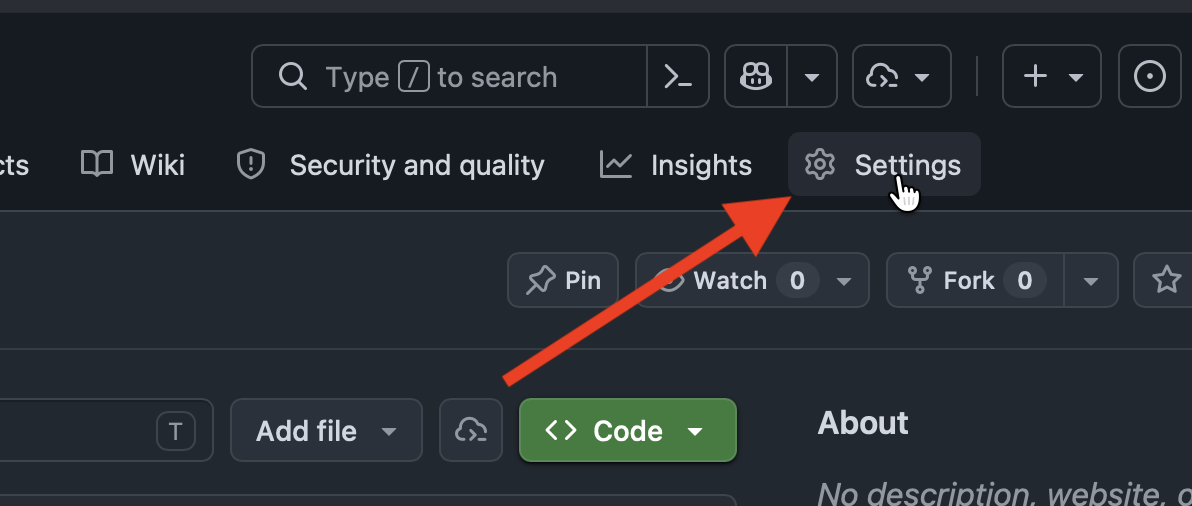
Figure 1:On your repository home page, click “Settings” in the navigation bar.
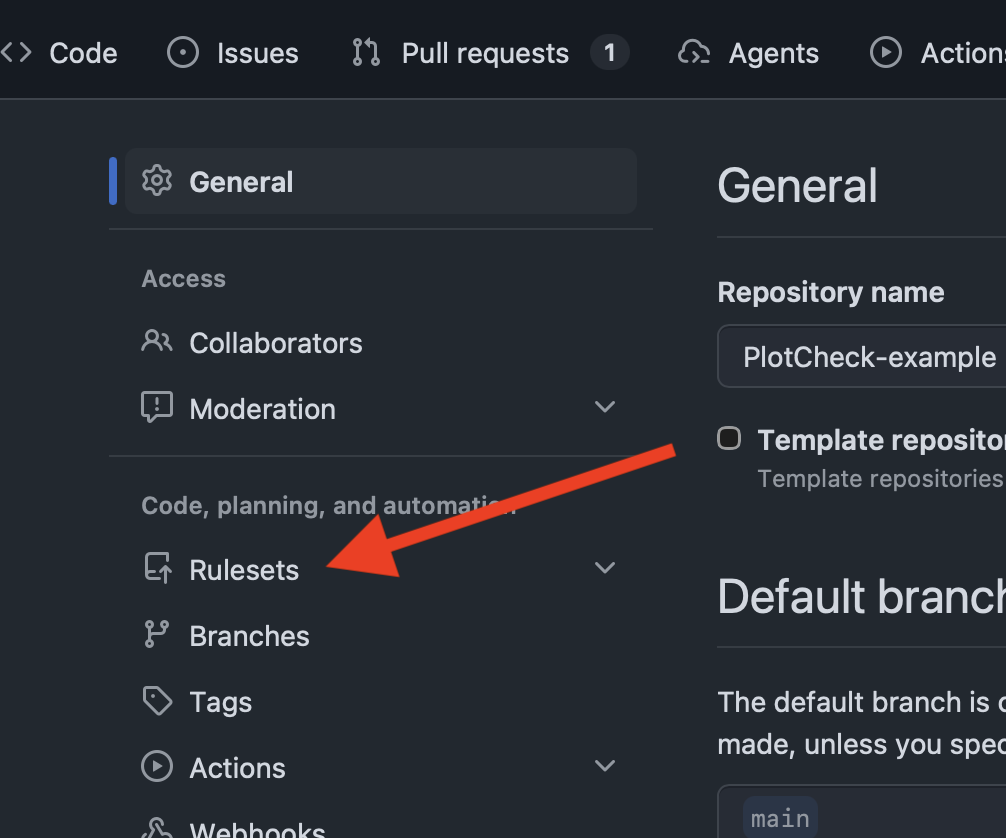
Figure 2:Navigate to the the Rulesets tab.
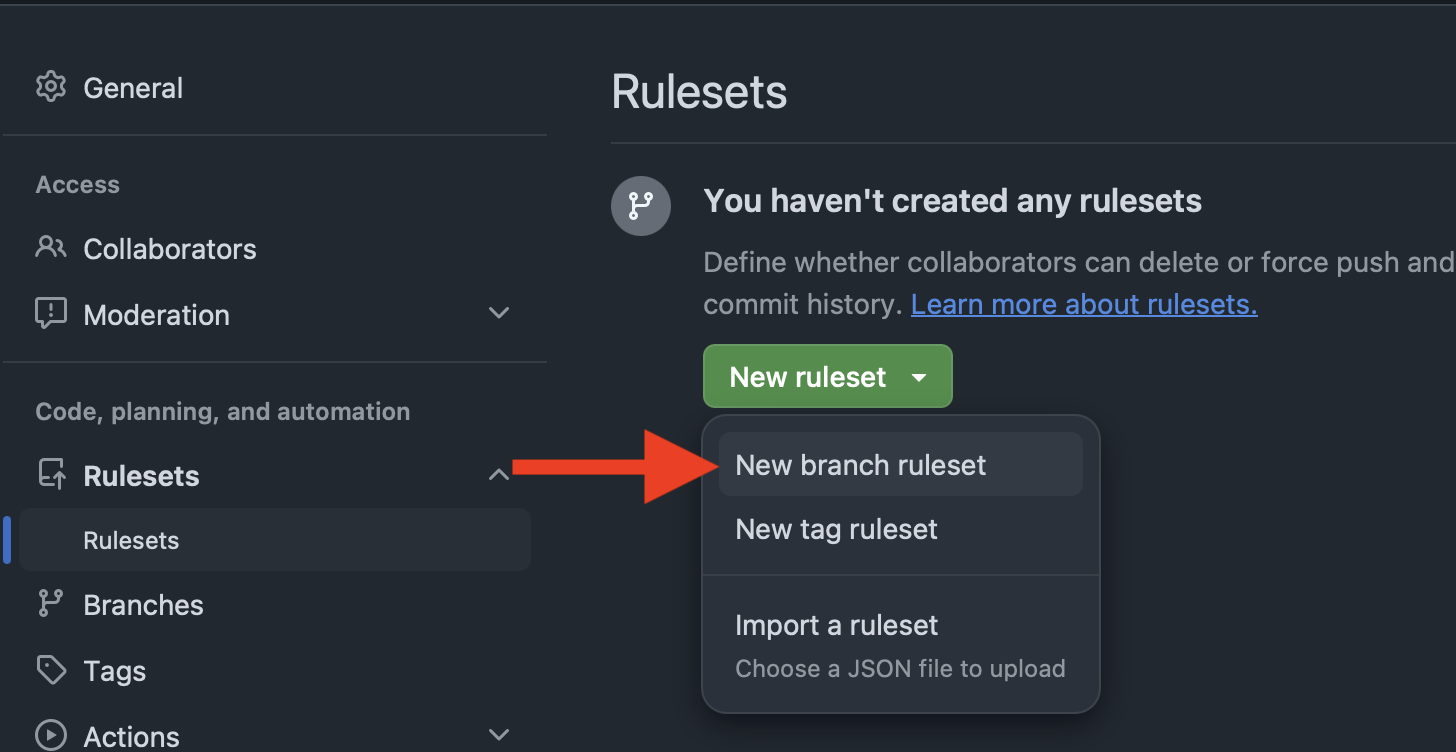
Figure 3:Create a new branch ruleset.
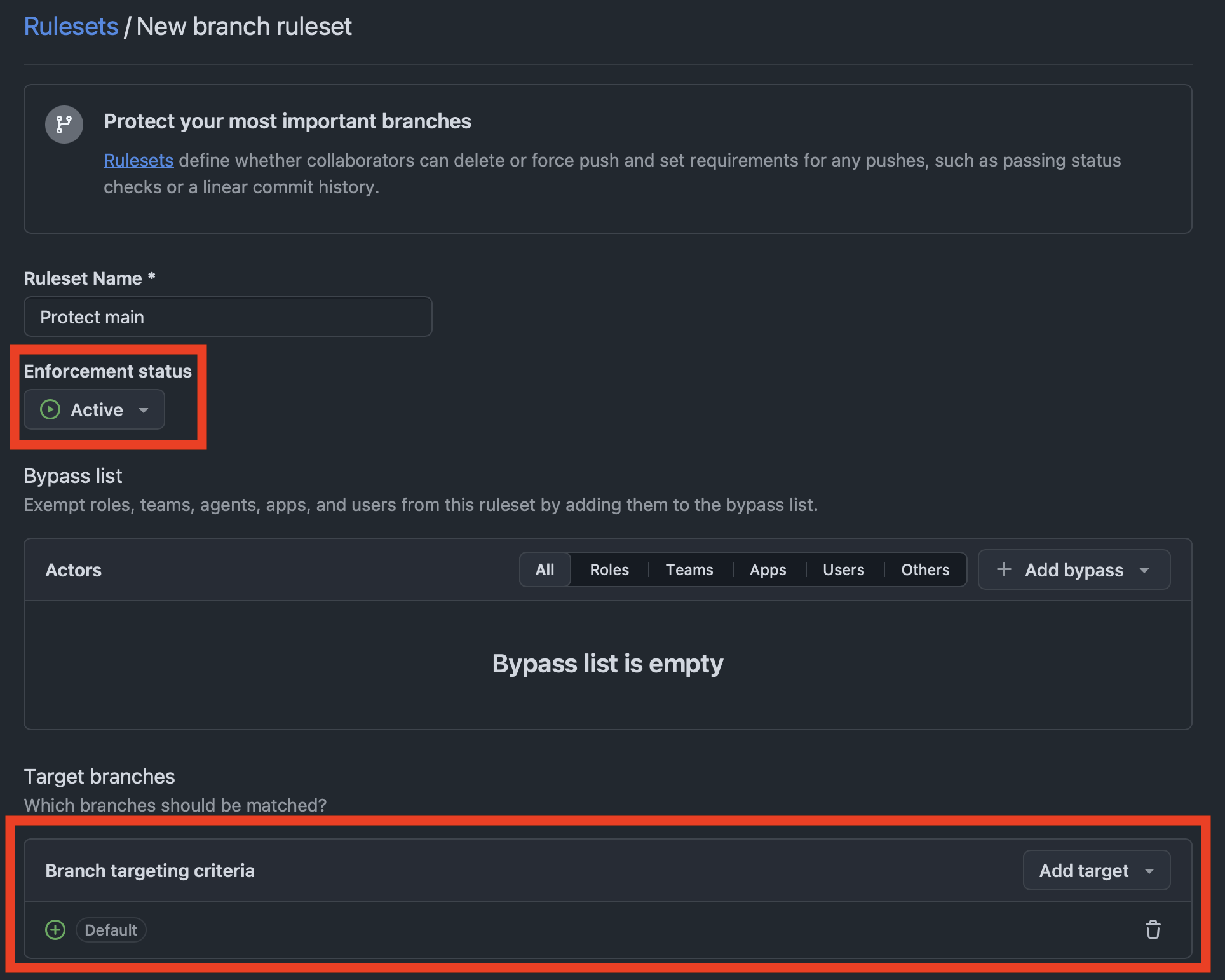
Figure 4:Give your rule a name and make sure the enforcement status is set to “Active”. Proceed by adding the default branch to the rule target.
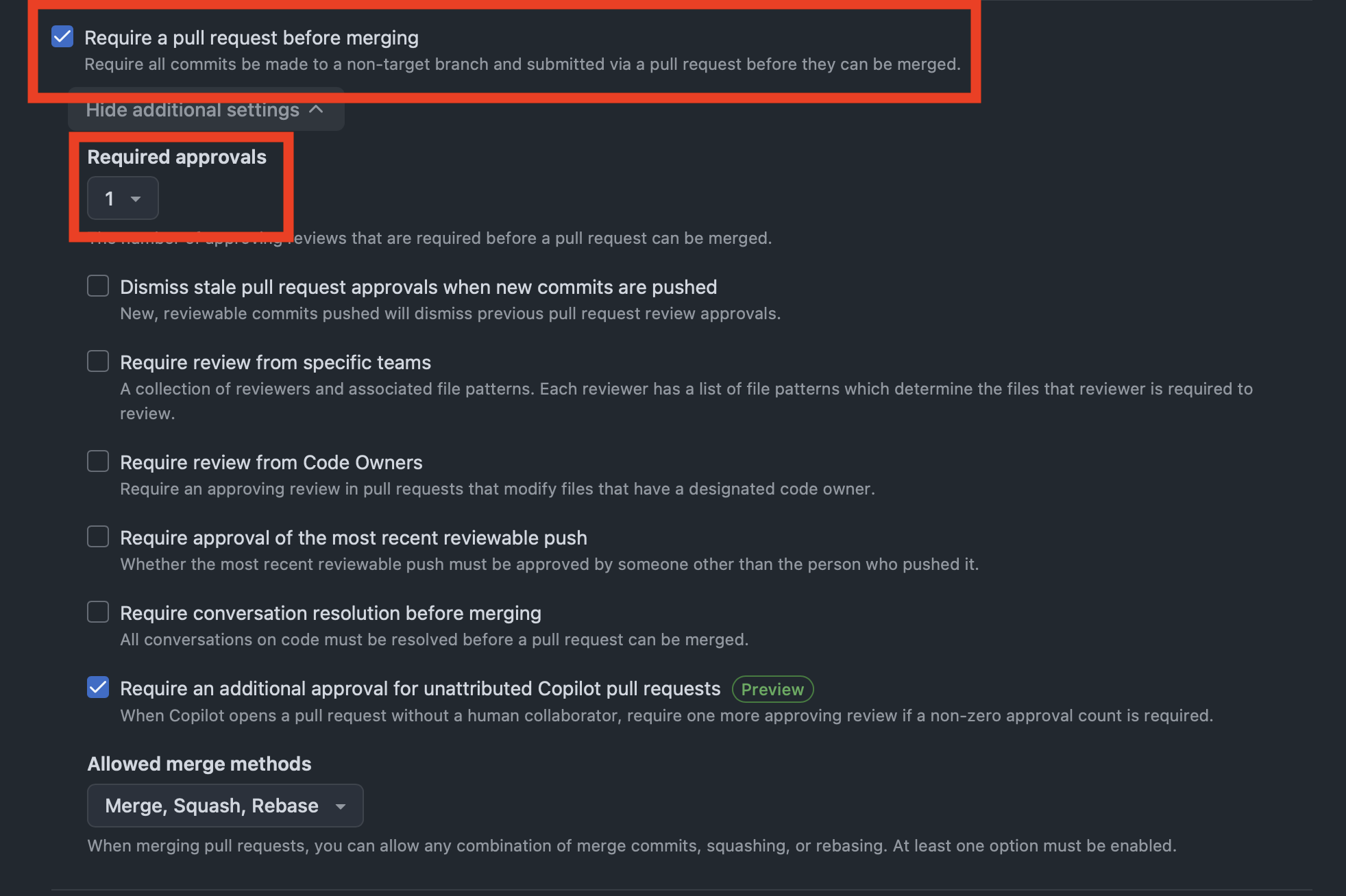
Figure 5:Enable “Require a pull request before merging” and set the required approvals to 1. Leave the other options unchanged. You can now create the ruleset at the bottom of the page.